When a do-it-yourself file move stalls
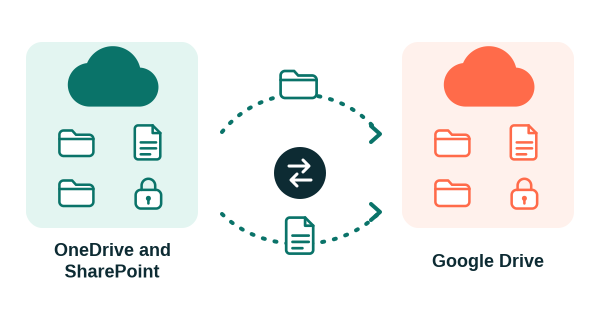
To migrate OneDrive to Google Drive for a business, each person’s OneDrive is copied into their My Drive and each SharePoint site into a Google shared drive. Word, Excel and PowerPoint files keep their format. Google provides import tools for both, and a SharePoint to Google Drive migration is where most self-run attempts slow down:
- Shared libraries have to be matched to shared drives, and Google won’t import SharePoint files into a personal My Drive.
- Permissions are translated into Google’s roles, and anything that doesn’t map neatly needs a decision.
- Size and depth. Big libraries, deep folder trees and files with unusual permissions turn up as errors in Google’s import report.
Email Switch Pros, a BizTechPro service, plans the structure first and reads the reports afterward, so those errors get fixed instead of ignored.
OneDrive, SharePoint and shared drives
| In Microsoft 365 | Lands in Google Drive |
|---|---|
| A person’s OneDrive | That person’s My Drive |
| A SharePoint site collection | A shared drive |
| A nested (sub)site | A shared drive, or a folder inside one |
| A document library | A folder |
| A OneNote notebook | A folder |
Two rules in Google’s documentation shape the plan. OneDrive files can’t be imported straight into shared drives, and SharePoint files can’t be imported into someone’s My Drive. If a team keeps its shared files in one person’s OneDrive, that’s worth sorting out before the move.
SharePoint lists and site pages don’t import, only the files, so any list your team relies on needs another home. With Google’s advanced method, very deep folder trees are split at the 90th level, with a shortcut left where the rest of the tree used to be.
Permissions and sharing links
Google maps Microsoft access levels onto its own roles:
- Edit access in OneDrive or SharePoint becomes Editor. Read-only, reviewer and “can’t download” access become Viewer.
- SharePoint site groups. Visitors become Viewers, Members become Contributors and Owners become Content Managers on the shared drive’s folders.
- One link per file. A Google file can only have one sharing link, so when a file had several links, Google keeps the most restrictive one.
- Outside people are re-shared and notified. Files shared with external users are shared with them again, and they get an email when it happens. Warn clients and vendors before the move.
- Some items are skipped. Files created by, or last edited by, an outside user aren’t imported. Internal users and groups left out of the identity map lose their permissions. Google’s default method also skips files that are more tightly restricted than their parent folder, and encrypted files.
We build the identity map with you and check access to sensitive folders before people start using the new drives.
Office files in Google Drive
Google imports Office files in their existing format, so a Word document stays a .docx and an Excel workbook stays an .xlsx. From there your team has a choice:
- Edit them as they are. Google Docs, Sheets and Slides can open and edit Office files directly, and Google offers an Office editing mode in Chrome.
- Convert them to native Google files, which suits documents people edit together every day.
Google lists a few things that don’t work when Office files are edited in Docs, Sheets or Slides: Excel macros, linked spreadsheets, and embedded charts and videos in Word and PowerPoint, which become images. Locked and hidden cells in protected Excel sheets become viewable and editable in Sheets. If a workbook runs on macros, leave it as an Excel file.
Version history is better in this direction than most people expect. Google can import up to 180 versions of each file, starting with the current one and working back.
How the project runs
First we list your OneDrive accounts, SharePoint sites, libraries and outside shares, and agree which site becomes which shared drive. A pilot site or a few users go first. Google’s import copies files without deleting or changing anything in Microsoft 365, and delta imports pick up new and edited files afterward. Microsoft 365 stays in place until you’ve checked the result. We read Google’s import report after each run and fix what it flags.
Moving mail and calendars as well? See Microsoft 365 to Google Workspace. The stages are on our process page, and what moves lists the limits by direction.
Frequently asked questions
Do Word and Excel files get converted to Google Docs?
Not automatically. Google imports Office files in their existing format, and your team can edit them in Google Docs and Sheets or convert them later. Files that rely on Excel macros are best left as Excel files.
What happens to SharePoint site structure?
Each site collection becomes a Google shared drive, nested sites become shared drives or folders, and document libraries become folders. SharePoint lists and pages don't import.
Can we move files without moving email?
Yes. OneDrive and SharePoint files can move to Google Drive on their own. Everyone just needs a Google Workspace account to receive their files.
Will people outside our company notice the move?
They may. When files shared with external people are imported, Google shares them again and those people get an email notice. It's worth telling key clients and vendors ahead of time.