When businesses move between tenants
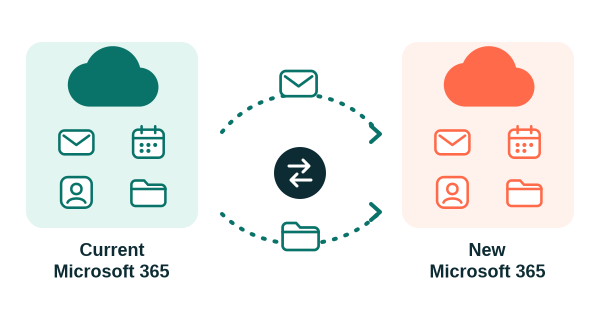
A tenant is a company’s own Microsoft 365 organization: its users, mailboxes, files and settings, under its own admin center. A tenant to tenant migration moves some or all of that into a different organization. Common reasons include:
- A merger or acquisition, where the bought company joins the buyer’s Microsoft 365
- A sale or divestiture, where part of a business leaves for a new owner or its own new tenant
- A rebrand or restructure that calls for a fresh organization under a new name
- Consolidation, when one business has ended up with more than one tenant over the years
In each case the people stay the same, but their accounts, sign-in names and often their email domain change hands.
What moves between tenants

Microsoft has built-in features for moving data between tenants. According to Microsoft’s documentation:
- Mailboxes. The user-visible content of a mailbox moves: email, contacts, calendar, tasks and notes. Mailboxes on any kind of hold aren’t migrated, and after a successful move the source mailbox is deleted.
- OneDrive. Each person’s OneDrive moves as a one-time transfer, with a redirect left at the old location so existing links keep working for people who still have access. Incremental passes aren’t possible, and the person can’t already have a OneDrive in the new tenant.
- Teams chats and meetings. Microsoft’s cross-tenant orchestration can move these along with mailboxes and OneDrive.
- SharePoint sites. Microsoft offers a separate cross-tenant SharePoint feature, currently only for Enterprise Agreement customers. It doesn’t move Teams channels or team structure, only the site content.
- Licensing. Microsoft’s cross-tenant user data migration requires an add-on license for each person moved, bought from Microsoft.
- Accounts first. Users have to be created and licensed in the new tenant before their data moves. Microsoft’s tools move content, not identities.
Shared data such as Teams channels and SharePoint sites isn’t covered by Microsoft’s user data migration and needs its own plan.
Domains and cutover
A custom email domain can only be verified in one Microsoft 365 organization at a time. Microsoft’s guidance is that if a domain is verified in one directory, it can’t also be verified in another until it’s removed from the old one, and every user has to be moved off the domain before it can be removed.
That shapes the cutover. A typical plan sets the order of events in advance:
- Accounts in the new tenant are set up on a temporary address while data is copied.
- On the agreed date, users in the old tenant are moved off the domain and the domain is removed there.
- The domain is added and verified in the new tenant, and its email records, including the MX record, are pointed at the new tenant.
- Users in the new tenant are switched to their usual addresses.
Between steps 2 and 4 the domain is in transition, so the timing, and what staff and outside senders should expect, are agreed before the date is set.
How the project runs
Tenant-to-tenant moves fit the same five stages as other migrations: assess both tenants, write a plan that covers identities, data and the domain, move a pilot group, cut over, and follow up afterward. Two things are different. Some of Microsoft’s cross-tenant transfers are one-time moves rather than copies, and both organizations’ administrators have to take part. The general stages are on our process page, and what moves lists the known limits.
Frequently asked questions
Can our email domain move to the new tenant?
Yes, but a domain can only be verified in one Microsoft 365 organization at a time. It has to be removed from the old tenant before it can be added to the new one, so the switch is planned as a single, scheduled step.
Do Teams chats and channels move?
Microsoft's cross-tenant orchestration can move Teams chats and meetings. Teams channels and team structure aren't part of Microsoft's user data migration, and its cross-tenant SharePoint feature moves site content only.
Do users keep their OneDrive files?
Microsoft's cross-tenant OneDrive migration moves each person's OneDrive to the new tenant and leaves a redirect at the old location. It's a one-time move, and the person can't already have a OneDrive in the new tenant.