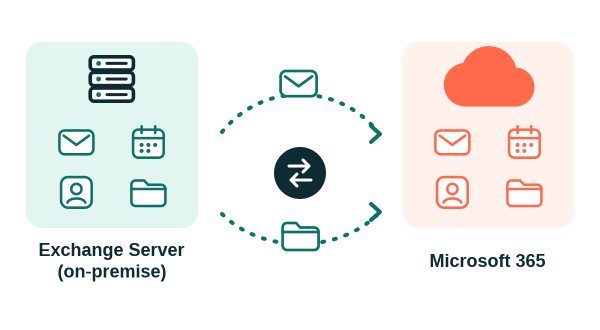
An Exchange to Microsoft 365 migration moves the mailboxes, calendars and contacts on your own Exchange server into Exchange Online, then points your domain’s mail at Microsoft 365. Microsoft offers several ways to do it, and the right one depends on your Exchange version, how many mailboxes you have and whether you need both systems running side by side for a while. Email Switch Pros, a BizTechPro service, picks the method with you, plans it and runs it remotely for businesses anywhere in the US.
Who moves from Exchange Server to Microsoft 365?
Businesses that still run email on a server in a closet or a data center usually start asking about an Exchange to Office 365 migration when one of these happens:
- The server or its Exchange version is getting old, and replacing it means buying hardware and licenses again
- The person who looked after the server has left, and nobody else knows how it works
- Staff want the same mailbox on their laptop, phone and the web without connecting back to the office
- The company already pays for Microsoft 365 apps and wants email in the same place
Whatever the reason, migrating an Exchange server to Microsoft 365 is a different job from moving off Gmail or a web host. The source is a system you run yourself, with its own accounts, certificates and connections, and the method has to fit it.
Which Microsoft migration method fits your Exchange server?
Microsoft documents three ways to move mailboxes from Exchange Server, plus IMAP for edge cases.
Cutover migration
A cutover migration moves all mailboxes to Microsoft 365 in a single migration. The migration service creates the mailboxes in Exchange Online for you, and licenses are assigned to the new users afterward. Microsoft positions it for smaller organizations. It has a few requirements worth knowing early:
- Your primary email domain has to be verified as yours in Microsoft 365
- Directory synchronization has to be turned off before it starts
- Your Exchange server must be reachable from outside through Outlook Anywhere, with a certificate from a trusted certification authority
- If you want security groups in Microsoft 365, empty mail-enabled security groups have to be created there before the migration, because the migration service can’t tell which groups were security groups
Until the MX record changes, mail sent to people whose mailboxes have already moved keeps arriving at the on-premise server. That’s why the switch of mail records is planned as its own step.
Staged migration
A staged migration moves mailboxes in batches, with accounts kept in step by directory synchronization. Microsoft only supports it for Exchange 2003 and Exchange 2007, which have been out of support since 2014 and 2017, and says it can’t be used for Exchange 2010 or later, where cutover or hybrid applies instead. If a server is still on one of those retired versions, that is a strong reason to move, using a method that fits what’s actually running.
Hybrid deployment
A hybrid deployment connects your Exchange server and Exchange Online so they work like one organization. Microsoft lists what that gives you:
- Both sides share your email domain, with secure mail routing between them
- One shared address book, and free/busy and calendar sharing across both
- Mailboxes moved to Exchange Online over time, and moved back to the server if needed
Hybrid suits businesses that want to move gradually or need the server for a while longer. It also has requirements. At least one Exchange server stays configured on-premise, it needs a current cumulative update, and every mailbox moved to or created in Exchange Online needs a license. Microsoft also notes that mailbox permissions applied directly to a mailbox, such as Send As and Full Access, move with it, but inherited permissions don’t. Forwarding settings aren’t copied, so they need to be exported before the move.
IMAP migration
IMAP can copy mail from Exchange and other systems, but Microsoft is clear about its limits. It only moves mail folders, not contacts, calendar items or tasks, and it doesn’t create the mailboxes. It’s a fallback for unusual situations, not the usual route off an Exchange server.
What needs attention in an Exchange migration?
Some gaps show up whichever method you use:
- Out-of-office messages. In a staged migration, Microsoft notes that an automatic reply that was on stays on but arrives blank, so people need to write it again.
- Outlook profiles. After a cutover or staged migration, people create a new Outlook profile that connects to Microsoft 365.
- Autodiscover. After a cutover migration, an Autodiscover DNS record is created so Outlook and phones can find the new mailboxes.
- Permissions and forwarding. These need checking, especially in hybrid moves.
- Phones. In hybrid moves most Exchange ActiveSync devices update themselves, but some older ones don’t.
- Your server’s role afterward. Decommissioning it is optional after a cutover and part of the design in hybrid, so plan it rather than assume it.
How we run an Exchange to Microsoft 365 migration
- Assess. We look at your Exchange version, mailbox count and sizes, shared mailboxes, permissions, certificates, directory setup and DNS, and recommend a method.
- Plan. You get a written plan that names the method, says what will move and what won’t, and sets out who does what.
- Pilot. A few mailboxes go first, so problems show up while they’re small.
- Cutover. Mailboxes move first. Once the Microsoft 365 mailboxes are ready, we switch the MX record and Autodiscover to point to Microsoft 365. Staff get a plain guide for setting up Outlook and their phones.
- Follow up. Support after the move, for the period set out in your quote. Then comes the clean-up: permissions, forwarding, out-of-office replies and a decision about the server.
The stages are the same ones described on our process page, and what moves covers migration limits more broadly.
What does an Exchange migration cost?
Pricing is per mailbox, in tiers, and migrations from an on-premise server such as Exchange carry a flat on-premise add-on (see pricing). Your final price is confirmed in a written quote after we’ve looked at your servers.
Microsoft 365 licenses are a separate cost, billed by Microsoft.
Who runs these migrations?
Email Switch Pros, a BizTechPro service, handles the work. BizTechPro has run managed IT and cybersecurity since 2008, is a Microsoft Partner and is based in Pearl River, NY. If you’re weighing a move off your Exchange server, ask for a quote on our quote page.
Frequently asked questions
What's the difference between a cutover and a hybrid Exchange migration?
A cutover migration moves every mailbox to Microsoft 365 in one go, and then mail delivery is switched over. A hybrid setup connects your Exchange server to Microsoft 365 so both share your domain while mailboxes are moved over time, and mailboxes can even be moved back if needed.
Can we keep our email domain when we move from Exchange to Microsoft 365?
Yes. The domain your Exchange server uses is added and verified in Microsoft 365 as part of the move. Once the mailboxes are ready, the domain's mail records are pointed at Microsoft 365.
Will people need to set up Outlook again?
Often, yes. Microsoft's guidance for cutover and staged migrations is that people create a new Outlook profile that connects to Microsoft 365. In a hybrid move, most phones and tablets using Exchange ActiveSync are reconfigured automatically, though some older devices may need to be set up again.
Can we turn off our Exchange server after the move?
After a cutover migration, Microsoft lists decommissioning the on-premise Exchange servers as an optional final step. With a hybrid setup, at least one Exchange server is part of the design, so whether and when it can go is a planning decision.
How much does an Exchange to Microsoft 365 migration cost?
Pricing is per mailbox, in tiers, and migrations from an on-premise Exchange server carry a flat add-on because of the extra complexity. The current figures are on our pricing page, and your price is confirmed in a written quote after we've looked at your servers.
Do you handle Exchange migrations anywhere in the US?
Yes. We take on Exchange migrations for businesses anywhere in the US, working remotely with whoever manages your server. To describe your setup, use our quote form.