Who this is for
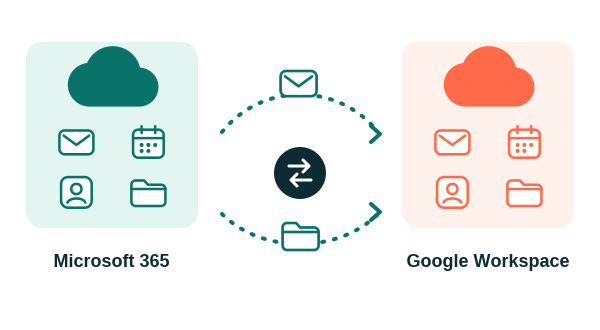
A Microsoft 365 to Google Workspace migration takes your Outlook mailboxes, calendars and contacts into Gmail, Google Calendar and Google Contacts, and your OneDrive and SharePoint files into Google Drive. Some people search for it as migrating Office 365 to Google Workspace. Email Switch Pros, a BizTechPro service, runs this move remotely for businesses anywhere in the US.
The reasons vary. Some teams already do most of their writing in Google Docs. Some want everything to run in a browser. Others are joining a company that’s on Google already. Whatever the reason, the switch touches every person in the company, so it pays to know the details first.
What we move from Microsoft 365

Google’s import tools for Microsoft 365 cover more than mail. According to Google’s documentation:
- Mail. Messages in every folder and subfolder, including drafts and sent items, come across. Outlook folders become Gmail labels with the same names, and read or unread status is kept.
- Shared mailboxes. A shared mailbox can become a Google Group with a collaborative inbox, or a Gmail account that people are given delegated access to.
- Out-of-office replies can be imported as a mailbox setting.
- Calendars. Primary and extra calendars move, with recurring events, reminders and time zones. Room calendars move if they’re mapped.
- Contacts. Personal contacts and contact folders move, and Outlook categories on contacts become labels in Google Contacts.
- Tasks. Microsoft To Do tasks and lists move into Google Tasks.
- Files. OneDrive goes to each person’s My Drive, and SharePoint sites go to Google shared drives.
- Teams chats. Google has a separate import that copies Teams chat data into Google Chat, though not every Teams feature is supported.
What doesn’t move as-is
Google is open about what its import leaves behind. Plan for these:
- Very large messages. A message larger than 150 MB with its attachments doesn’t import, and neither do file types Gmail blocks.
- Flags, pins and email categories don’t come across, and mail in shared folders or the Notes folder is left out.
- A message filed in two folders imports once, under one label. It can still be found in All Mail.
- Teams meetings keep their meeting links but aren’t turned into Google Meet meetings.
- Calendar colors, events before the chosen import start date, ICS files and draft events aren’t imported, and event descriptions arrive as plain text.
- Calendar sharing and event attachments only come across with Google’s advanced import method.
- Outlook rules become Gmail filters only with the advanced method, and many rule types, such as flags, categories and date conditions, aren’t supported.
- The Global Address List and contact lists don’t import, and contacts lose extras such as profile pictures, fax numbers and all but one mobile number.
- Recurring tasks arrive as one-off tasks, and Planner tasks don’t move.
- SharePoint lists and web pages don’t import, only the files.
Our what moves page puts these next to the limits for the other direction.
How the project runs
The project follows five stages. We assess your tenant: users, shared mailboxes, groups, SharePoint sites, data size and DNS. We write a plan that maps each mailbox and site to its Google home and lists what won’t import. A pilot group goes first. Then the rest of the mail, calendars, contacts and files are copied while people keep working in Outlook, because Google’s import doesn’t delete or change anything in Microsoft 365.
At cutover, your domain’s MX record is pointed at Google so incoming mail is delivered to Gmail. Google accounts are ready before that change, so new mail has a mailbox waiting when the records change. A delta pass then picks up anything that arrived late, and follow-up support covers the first questions. Details are on our process page.
What your team will need to do
- Admin access. Google’s import is run by a Google Workspace super administrator and connects to Microsoft 365 with an administrator account. We’ll need both, or someone who can approve them.
- Licenses. Every person being imported needs a Google Workspace account and license before their data moves.
- DNS. Know who can log in to your domain’s DNS host, since the MX record changes there.
- Your people. Tell staff when the switch happens, what their new sign-in is, and that their Outlook folders will show up as Gmail labels.
The Microsoft 365 to Google Workspace checklist has the full list to work through.
What it costs
You pay per mailbox, and that covers each person’s email and Drive data. How many mailboxes you move decides the tier, and that one tier price applies across the whole order. See pricing for the tiers. They’re estimates until we confirm them in a written quote.
Google Workspace licenses are separate and billed by Google.
Frequently asked questions
Do Outlook rules and signatures move to Gmail?
Outlook rules can be imported as Gmail filters with Google's advanced import method, but many rule conditions aren't supported, so expect to rebuild some by hand. Email signatures aren't on Google's list of imported data, so plan to set them up again in Gmail.
What happens to SharePoint sites?
Each SharePoint site collection imports as a Google shared drive, and its document libraries become folders. Files and supported permissions come across, but SharePoint lists and web pages don't.
Do Teams chats move to Google Chat?
They can. Google has an import that copies Teams chat data into Google Chat, though not every Teams feature is supported. Teams meeting links on calendar events stay as links and aren't converted to Google Meet.
What changes for users on day one?
People sign in to Gmail with their Google account instead of Outlook, and set up two-step sign-in. Their Outlook folders appear as labels, and their files are in Google Drive instead of OneDrive.
Can we keep using Microsoft 365 while you migrate?
Yes. Google's import copies data and doesn't delete or change anything in Microsoft 365, so people keep working as normal until cutover.